 K
KModules
Authentication
Merchant
Catalog
Order
Events
Logistics
Shipping
Review
Financial
Solutions
Fundamentals
Conceptual reference of Catalog API v2.0 objects. For tutorials and calls, see Introduction and Endpoints.Catalog hierarchy
Catalog
├── Context (DEFAULT, WHITELABEL, INDOOR)
│   ├── Category
│   │   └── Item
│   │       ├── Products (products)
│   │       └── Add-on groups (optionGroups)
│ │ └── Options (options)contextModifiers.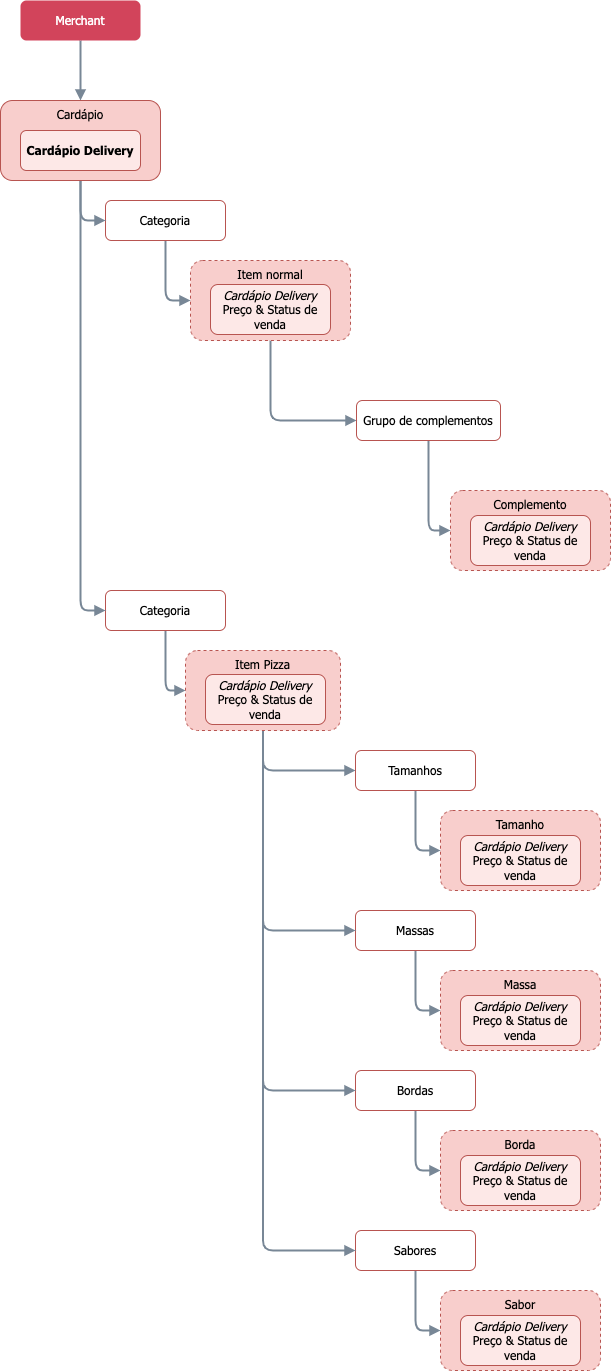
Contexts
One catalog serves multiple sales channels. Each channel is a context:| Context | Channel |
|---|---|
DEFAULT | Delivery |
WHITELABEL | Digital Menu |
INDOOR | Dine-in |
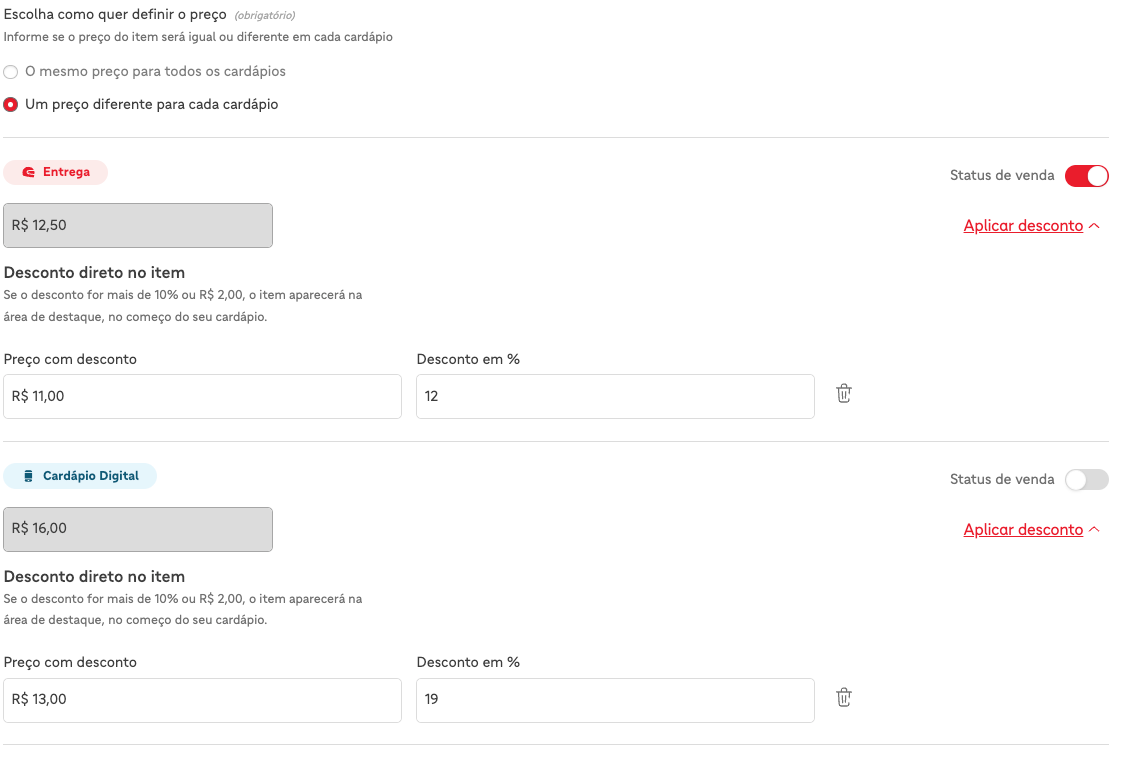
contextModifiers to customize values per context instead of duplicating the item.
Categories
Categories group items in the menu. Thetemplate field defines the type:DEFAULT— Common items (sandwiches, drinks, desserts).PIZZA— Pizza items, with mandatory add-on groups (SIZE,CRUST,EDGE,TOPPING). A store accepts at most onePIZZAcategory. See Pizza.
DEFAULT template on the item and the add-on structure (optionGroups) to model the required complexity. See Combos.
Items
Item is the product sold to the end customer (X-Burger, Soft drink, Calabresa Pizza).Item types
type | Use | Mandatory groups |
|---|---|---|
DEFAULT | Simple item | None |
PIZZA | Pizza | SIZE, CRUST, EDGE, TOPPING |
COMBO_V2 | Combo with up to 3 levels of customization | None |
Main fields
| Field | Type | Required | Description |
|---|---|---|---|
id | string | Yes | Identifier you generate. Use it to reference the item in updates. |
type | enum | Yes | DEFAULT, PIZZA, or COMBO_V2. |
categoryId | string | Yes | Category ID. |
status | enum | Yes | AVAILABLE (visible) or UNAVAILABLE (paused). |
price | object | Yes | Object with value (number) and originalValue (optional). |
externalCode | string | Yes | Your POS code. Unique per merchant. |
id — Item identifier
The id is an identifier you generate and must follow the UUID v4 standard. It uniquely identifies the item in your system.If you send an id that is not in UUID v4 format, the API will return a 404 error.Examples of valid UUID v4s:550e8400-e29b-41d4-a716-446655440000123e4567-e89b-12d3-a456-426614174000
externalCode — Custom POS code
The externalCode is your custom identifier for POS integration. Unlike the id, does not need to follow the UUID pattern — it's an arbitrary string you control. Must be unique within the merchant.Valid examples:BURGER_001,COKE_001,COLDRINK_GROUPxburger-default,frappuccino-large
externalCode that already exists, the API reuses the item instead of creating another. You can use the externalCode as your POS's primary identifier instead of the id — they are interoperable for synchronization purposes.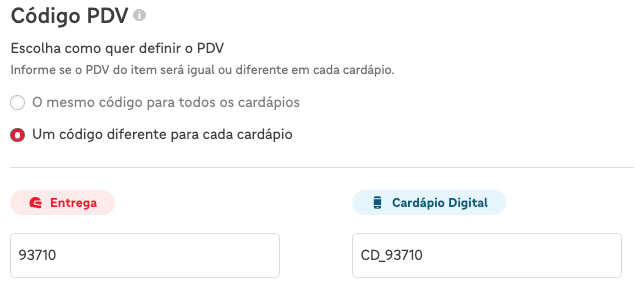
Price
{
  "value": 25.00,
  "originalValue": 30.00
}value— Price charged.originalValue— Original price, used to display discount. Optional.
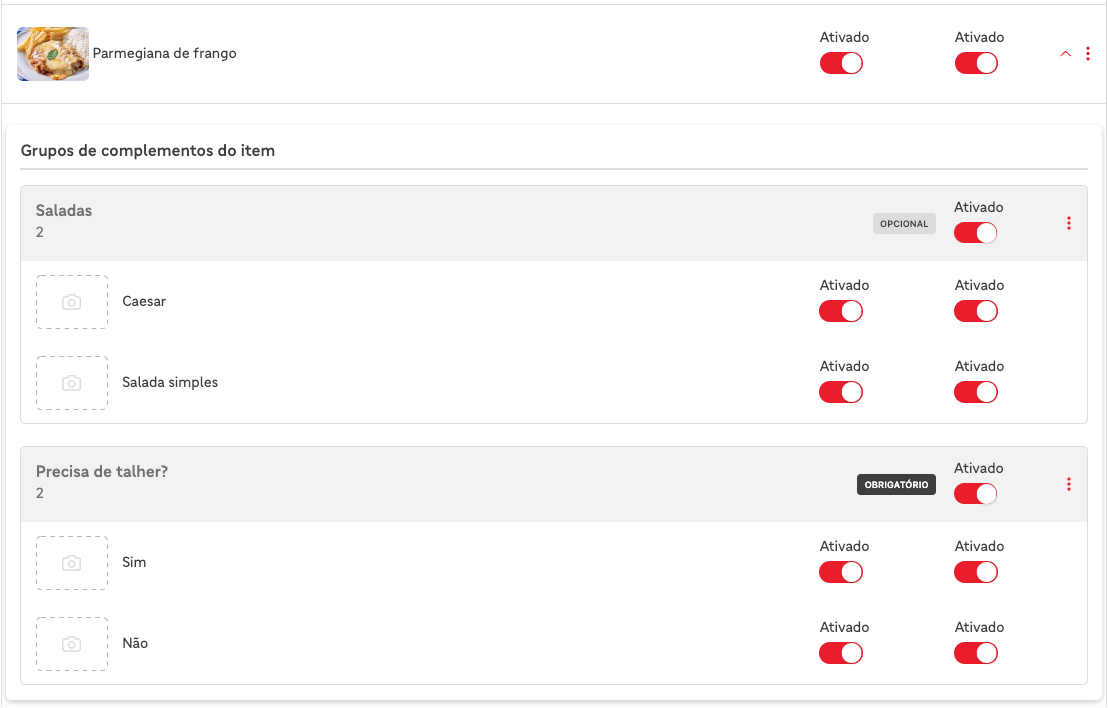
Add-ons
Add-ons are choices the customer makes when buying an item (drink, size, sauce). Organize add-ons into groups (optionGroups) that contain options (options).{
"optionGroups": [
{
"id": "550e8400-e29b-41d4-a716-446655440010",
"name": "Choose a drink",
"optionGroupType": "OFFER_UNIT",
"min": 0,
"max": 1,
"optionIds": ["opt-coke"]
}
],
"options": [
{
"id": "opt-coke",
"productId": "prod-coke",
"price": {"value": 8.00}
}
]
}
Group types
Every group needs anoptionGroupType:| Type | Use | Example |
|---|---|---|
OFFER_UNIT | Additional sale (cross-sell) | Drink in combo |
SPECIFICATION | Preparation specification | Meat doneness |
INGREDIENTS | Ingredient modification | With or without onion |
CUTLERY | Utensils | Fork, knife, napkin |
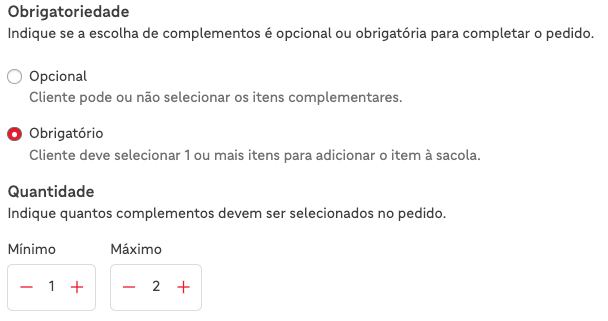
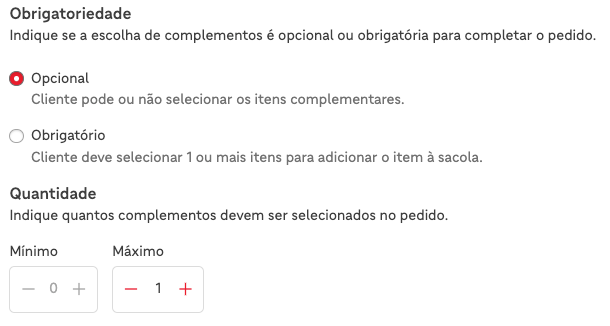
SIZE, CRUST, EDGE, and TOPPING. See Pizza.Mandatory requirements (min and max)
Use min and max in the group to control how many options the customer can choose:| Rule | min | max |
|---|---|---|
| Mandatory, 1 choice | 1 | 1 |
| Mandatory, multiple choices | 2 | 3 |
| Optional, 1 choice | 0 | 1 |
| Optional, multiple choices | 0 | 5 |
contextModifiers
Use contextModifiers to override item or option fields in specific contexts, without duplicating the object:{
"item": {
"id": "item-burger",
"price": {"value": 25.00},
"status": "AVAILABLE",
"contextModifiers": [
{
"catalogContext": "WHITELABEL",
"price": {"value": 28.00},
"status": "UNAVAILABLE"
}
]
}
}contextModifiers:catalogContext— Affected context (required).price— Price in the context.status— Status in the context.externalCode— POS code in the context.
Inventory
Inventory limits the sellable quantity of a product. When stock reaches zero, the item becomesUNAVAILABLE automatically. Use inventory for products with limited quantity (e.g., artisanal cake). See Manage Availability.
Next steps
- Practical tutorial — Introduction creates a menu in 5 steps.
- Flow and decisions — How it works shows when to call each endpoint.
- Common patterns — Common Patterns covers typical use cases.
- All endpoints — Endpoints.
Was this page helpful?
Rate your experience in the new Developer portal: